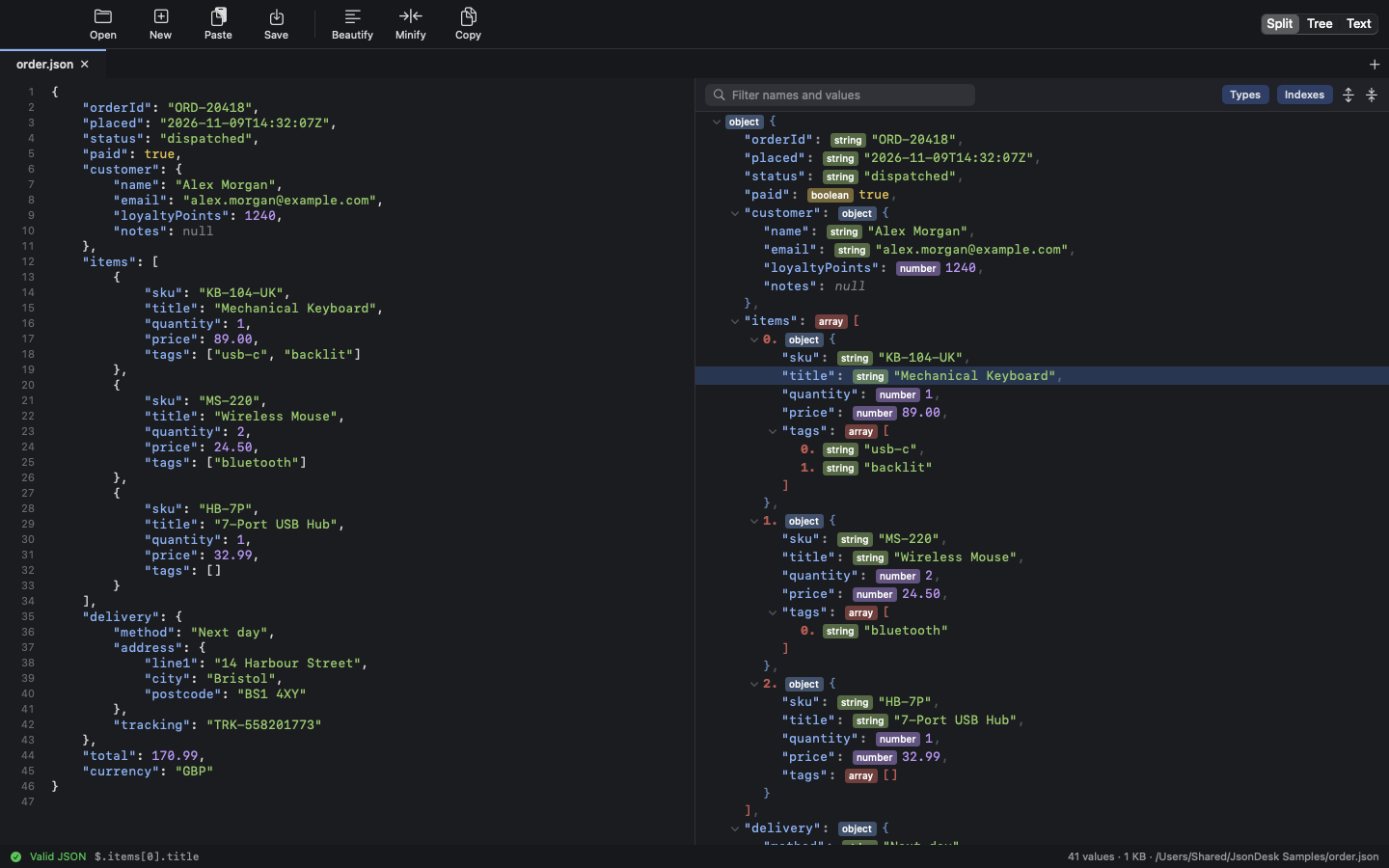
Text and tree, side by side
The JSON on the left and the tree on the right, kept in step as you type. Or show just the tree, or just the text.
 JsonDesk
Coming soon
JsonDesk is a native JSON viewer and editor for macOS. Drop a file on it or paste some JSON, and it's shown as a clean, colour-coded tree next to the text, ready to read, edit and save.
Features
API responses, config files and logs open as a tree you can read at a glance. It looks and works like its companion apps, MysqlDesk, GitDesk and MdDesk.
The JSON on the left and the tree on the right, kept in step as you type. Or show just the tree, or just the text.
Names, strings, numbers, booleans and nulls each have their own colour, with one line per property or item.
Drop files on the window or the Dock icon and each opens in its own tab. Any text file works, not just .json.
Copy some JSON anywhere and press ⌘V. It opens in a new tab, and one-line JSON is tidied up on the way in.
Type in the editor, or double-click a value or name in the tree. Right-click to add, delete or change a type. ⌘S saves.
Invalid JSON is reported with its line, column and a plain reason, such as Trailing comma before }, and marked in the editor.
Lay the JSON out neatly or squeeze it onto one line. Choose two spaces, four spaces or tabs.
Formatting never changes the data. Property order, repeated names, numbers like 1.10 and escapes are kept exactly.
Type part of a name or value and only the matching lines stay, highlighted, with the path that leads to them.
Right-click any line to copy its value, its name or its path, such as $.items[0].title.
⌘Z steps back through typing, formatting and edits made in the tree alike.
Large files are read in the background. If another program changes a file, it reloads, and unsaved edits are never overwritten.
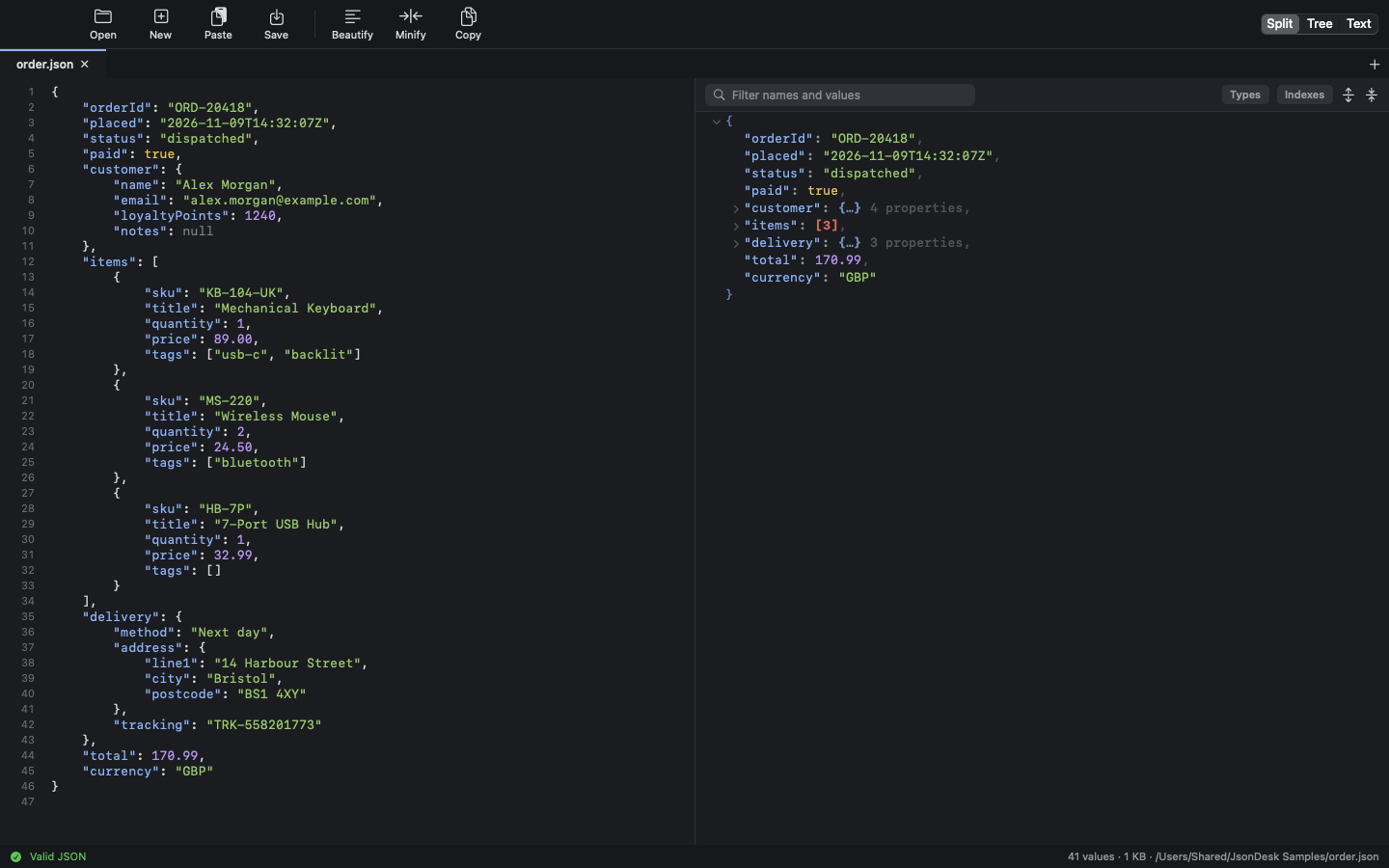
The tree
Collapse everything and the structure is plain: what's in there, and how much of it. Open only the parts you want.
[3], and objects how many properties they hold.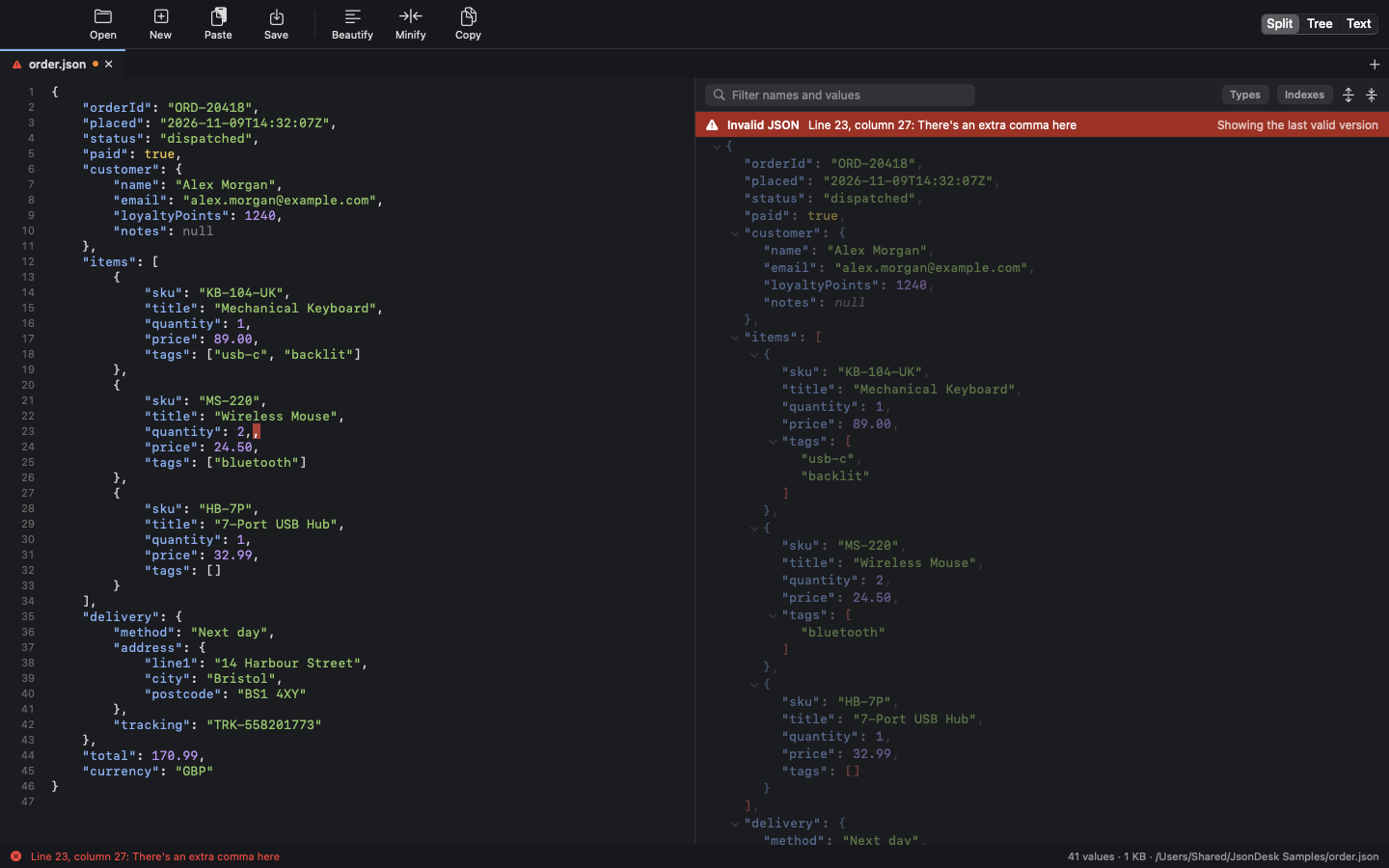
Errors
When the JSON isn't valid, JsonDesk gives the line, the column and the reason in plain words, and marks the spot in the editor.
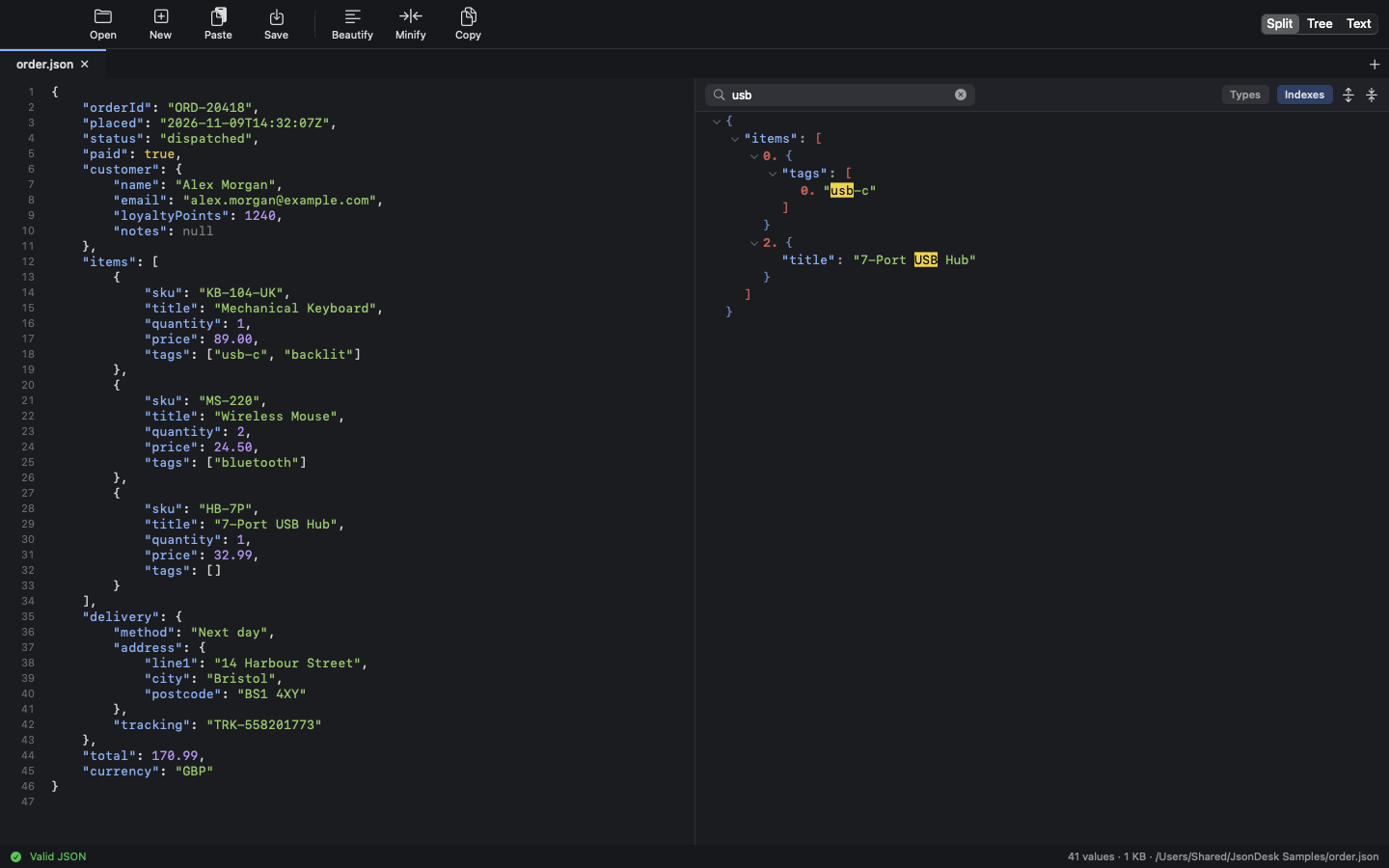
Filter
Type a few letters above the tree. Everything that doesn't match drops away, and what's left keeps its place in the structure.
Keyboard shortcuts
Everything in the toolbar has a shortcut.
Get it
JsonDesk is coming soon to the Mac App Store for £0.99. It's a one-off purchase, with no subscription.
Drop a file on the window or the Dock icon, press ⌘O, or copy some JSON and press ⌘V.
Collapse what you don't need, double-click a value to change it, and press ⌘S.
Support
Most questions are answered here. For anything else, send an email and you'll get a reply from the developer.
Click the red message to jump to the mistake. The tree shows the last valid version until the text is fixed.
A string stays a string whatever you type. Right-click the value and choose Change Type.
Open JsonDesk → Settings (⌘,) and choose the font size, and two spaces, four spaces or tabs.
JsonDesk reloads it for you. If you have unsaved edits, it asks whether to reload from disk or keep your version.