All your servers
Add each MySQL or MariaDB server once, test the connection, and colour-code production so it stands out.
MysqlDesk is a fast, native MySQL client for macOS. Keep every server in one sidebar, run queries in tabs you can point anywhere, and edit results with a preview before anything is saved. It's free and open source.
Features
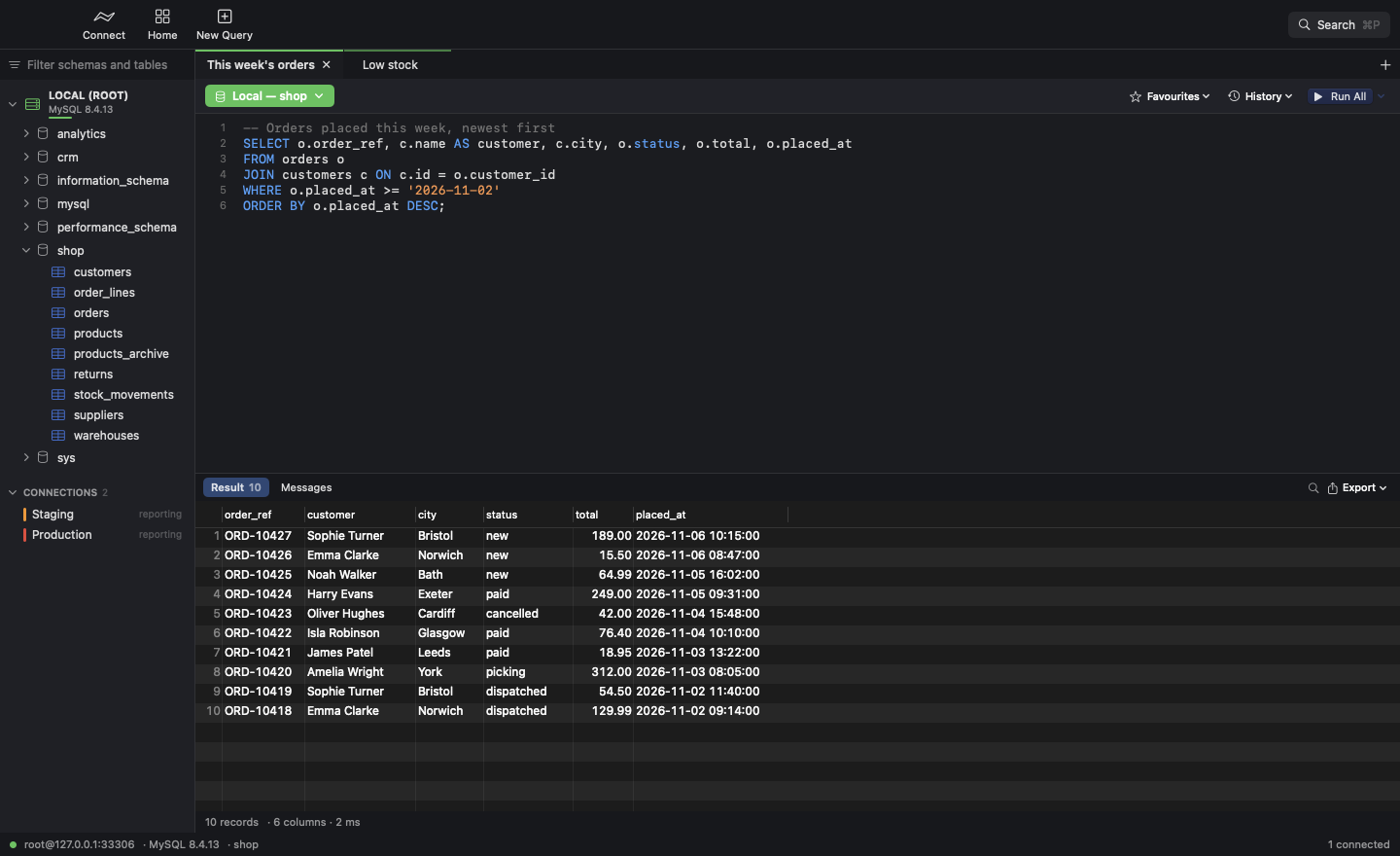
Your servers and their tables on the left, your query and its results on the right. It looks and works like its companion app, GitDesk.
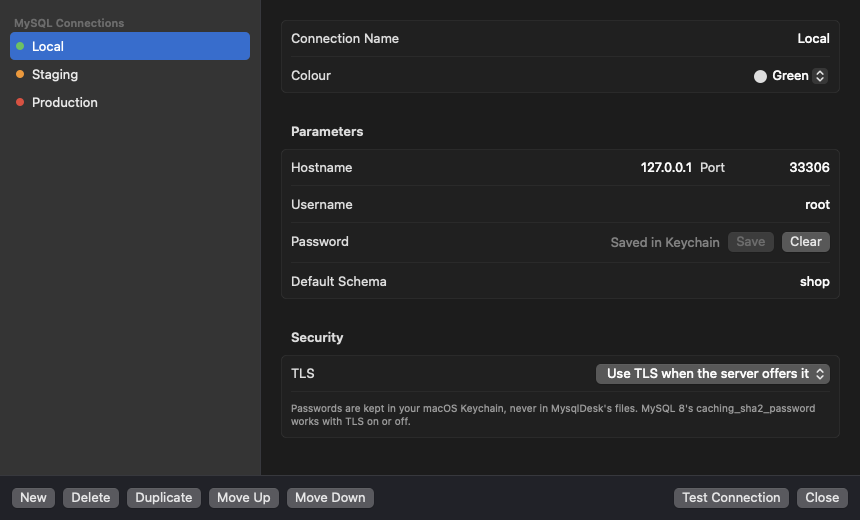
Add each MySQL or MariaDB server once, test the connection, and colour-code production so it stands out.
Passwords live in your macOS Keychain, never in MysqlDesk's files. TLS is used whenever the server offers it.
The sidebar shows each server's schemas and their tables, with no clutter. Press ⌘P and type to jump to any table on any connected server.
Each tab has its own connection. Switch a tab to another server or schema and your query stays exactly where it is.
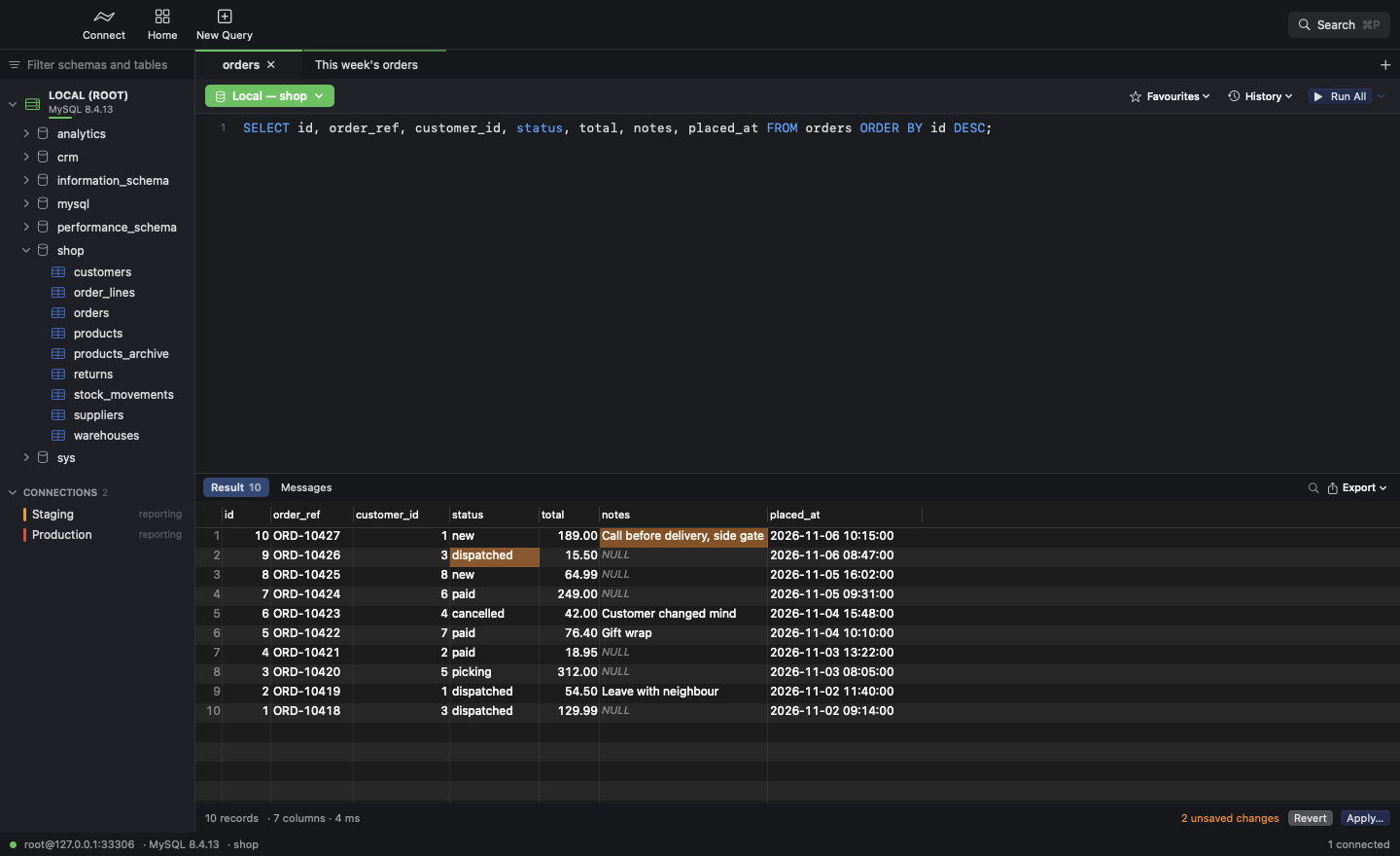
Double-click a cell to change it, with drop-downs for ENUMs. Preview the UPDATE before it runs, or revert in one click.
Tables with hundreds of columns? Press ⌘B, type part of a name, and only matching columns stay on screen.
Save queries you run often against their server with ⌘S. Every query you run is kept in History too.
Save a whole result, or just the rows you've selected, as CSV, JSON or SQL INSERT statements.
Editing
Double-click a cell, type, and press Return. Every change stays highlighted until you choose to save it.
Apply with confidence
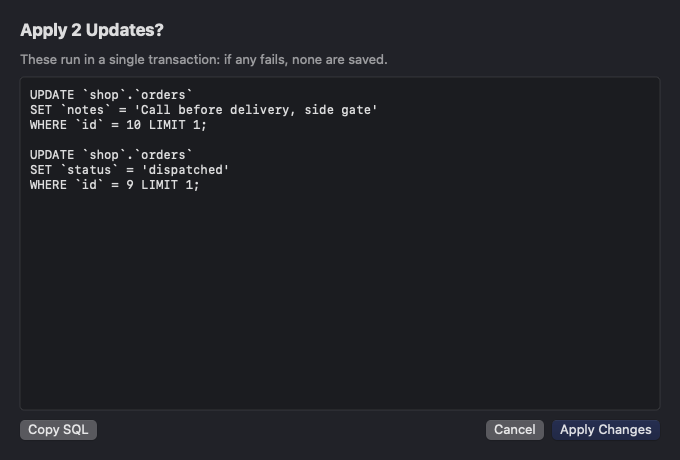
Apply shows you the exact UPDATE statements first. They run together in one transaction, so either every change is saved or none is.
LIMIT 1.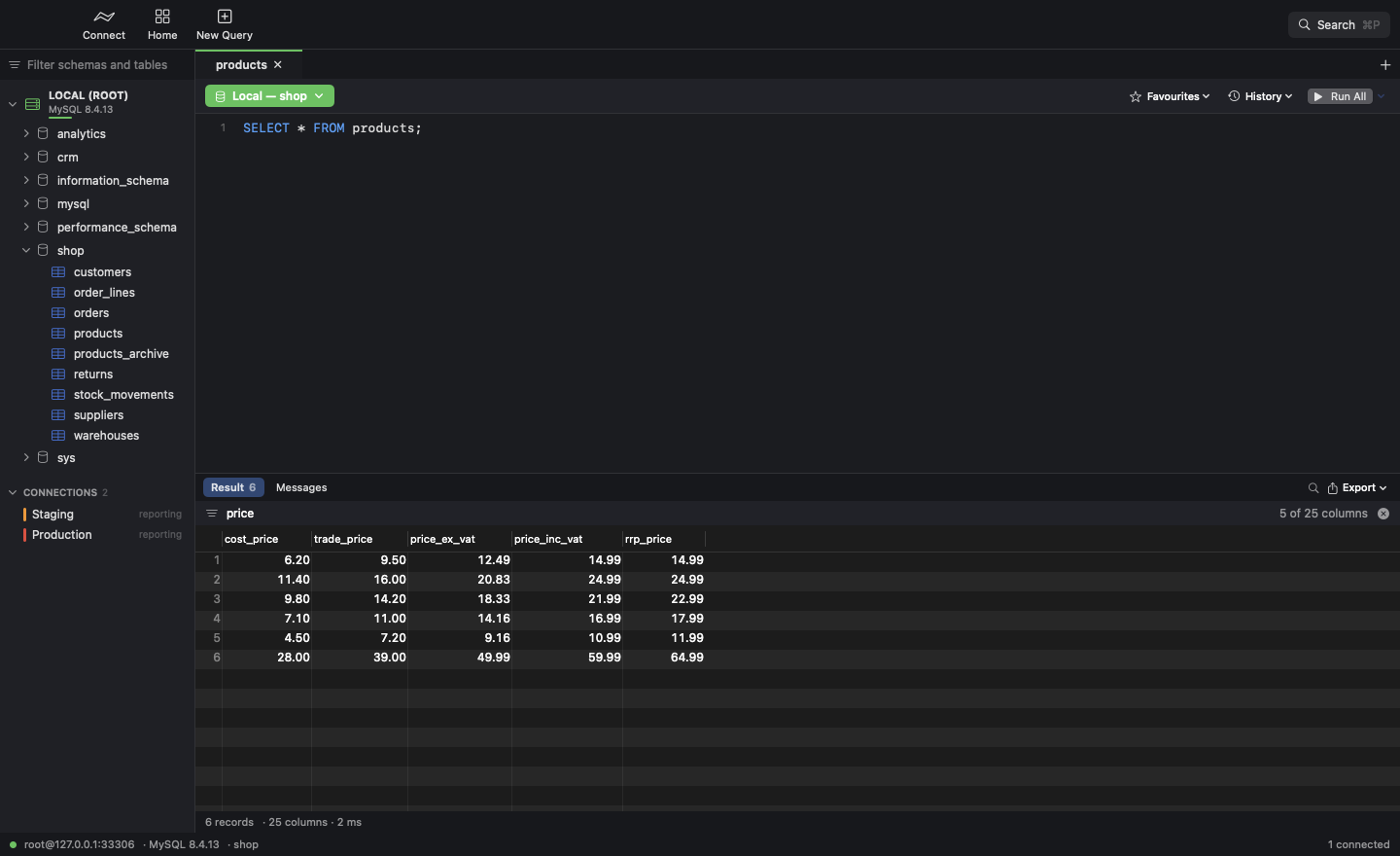
Column search
Press ⌘B and type part of a column name. Everything else is hidden until you clear the search.
Connections
Manage every server in one window, then pick one from the home screen or the sidebar.
Keyboard shortcuts
If you know SQLPro for MySQL, you already know these.
Install
Get MysqlDesk.dmg, the latest version. Older versions are on the releases page.
Open the DMG and drag MysqlDesk onto the Applications folder.
Launch MysqlDesk, press ⇧⌘C, add your server and click Test Connection. Then double-click it to connect.
xattr -dr com.apple.quarantine /Applications/MysqlDesk.app in Terminal. You only need to do this once.
It's free and open source. If you use Git too, try its companion app, GitDesk.